UP Scholarship Status 2026 Check Online – scholarship.up.gov.in Application Status, Login, Payment Status
Short Information: Students who applied for the UP Scholarship 2026 can now easily check their UP scholarship application status online through the official portal scholarship.up.gov.in. As of 20 March 2026, the UP scholarship status 2026 shows whether your form is verified, approved, rejected, or payment released. Students can also check their UP scholarship payment status through PFMS portal. To check the UP scholarship status check online, candidates need their registration number and date of birth. Applicants are advised to regularly check their scholarship.up.gov.in status to stay updated about verification and payment process.
How to Check UP Scholarship Status 2026 Online
🎓 UP Scholarship 2026-27 - Uttar PradeshNew Registration, Fresh Login, Renewal & Status Check Scholarship Amount: Up to ₹50,000 (as per course and category) |
||||||||||||||||||||||||||||||||||||||||||||||||||||
|---|---|---|---|---|---|---|---|---|---|---|---|---|---|---|---|---|---|---|---|---|---|---|---|---|---|---|---|---|---|---|---|---|---|---|---|---|---|---|---|---|---|---|---|---|---|---|---|---|---|---|---|---|
📅 UP Scholarship 2025-26 Complete Timeline |
||||||||||||||||||||||||||||||||||||||||||||||||||||
| Student Registration / Online Application | 10 July 2025 to 14 January 2026 | |||||||||||||||||||||||||||||||||||||||||||||||||||
| Student Final Printout | 12 July 2025 to 17 January 2026 | |||||||||||||||||||||||||||||||||||||||||||||||||||
| Hard Copy Submission to Institute with Documents | 02 July 2025 to 21 January 2026 | |||||||||||||||||||||||||||||||||||||||||||||||||||
| Institute Verification & Forward (Phase I) | 11 July 2025 to 10 December 2025 | |||||||||||||||||||||||||||||||||||||||||||||||||||
| University Verification & Blocking (Phase I) | 11 December 2025 to 22 December 2025 | |||||||||||||||||||||||||||||||||||||||||||||||||||
| NIC Scrutiny (Phase I) | 11 December 2025 to 26 December 2025 | |||||||||||||||||||||||||||||||||||||||||||||||||||
| District Committee Data Lock (Phase I) | 26 December 2025 to 10 January 2026 | |||||||||||||||||||||||||||||||||||||||||||||||||||
| Demand Generation (Phase I) | 15 January 2026 | |||||||||||||||||||||||||||||||||||||||||||||||||||
| Fund Transfer (Phase I) | 24 January 2026 | |||||||||||||||||||||||||||||||||||||||||||||||||||
| Institute Verification & Forward (Phase II) | 11 December 2025 to 27 January 2026 | |||||||||||||||||||||||||||||||||||||||||||||||||||
| University Verification & Blocking (Phase II) | 28 January 2026 to 07 February 2026 | |||||||||||||||||||||||||||||||||||||||||||||||||||
| NIC Scrutiny (Phase II) | 28 January 2026 to 09 February 2026 | |||||||||||||||||||||||||||||||||||||||||||||||||||
| Error Correction by Students (Correction Window) | 10 February 2026 to 13 February 2026 | |||||||||||||||||||||||||||||||||||||||||||||||||||
| Corrected Application Submission to Institute | 18 February 2026 | |||||||||||||||||||||||||||||||||||||||||||||||||||
| NIC Re-Scrutiny | 19 February 2026 to 27 February 2026 | |||||||||||||||||||||||||||||||||||||||||||||||||||
| District Committee Data Lock (Phase II) | 10 March 2026 | |||||||||||||||||||||||||||||||||||||||||||||||||||
| Demand Generation (Phase II) | 13 March 2026 | |||||||||||||||||||||||||||||||||||||||||||||||||||
| Fund Transfer (Phase II) | 18 March 2026 | |||||||||||||||||||||||||||||||||||||||||||||||||||
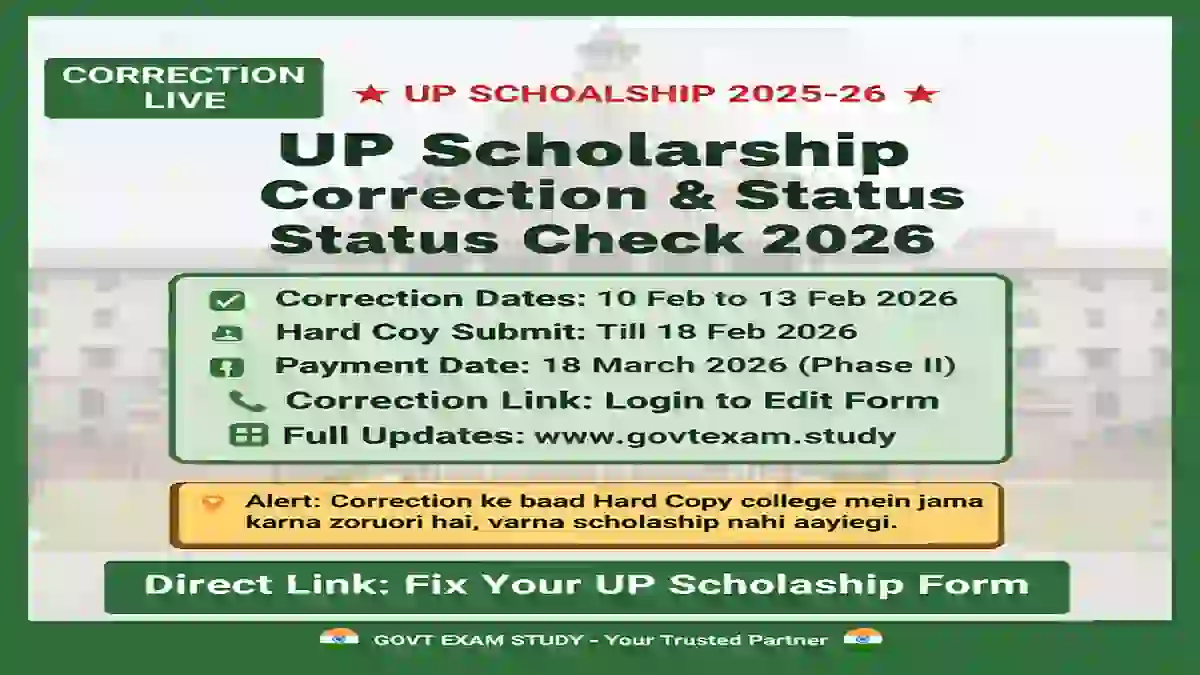
| 📌 Note: Correction window is open from 10-13 February 2026. Final payment will be made on 18 March 2026. | ||||||||||||||||||||||||||||||||||||||||||||||||||||
✏️ Correction Window 2025-26 - Who Needs to Apply? |
||||||||||||||||||||||||||||||||||||||||||||||||||||
|
||||||||||||||||||||||||||||||||||||||||||||||||||||
🛠️ How to Fix UP Scholarship Errors Online |
||||||||||||||||||||||||||||||||||||||||||||||||||||
| Step 1 | Visit official portal: https://scholarship.up.gov.in | |||||||||||||||||||||||||||||||||||||||||||||||||||
| Step 2 | Go to 'Student' section → Select 'Post Matric Other Than Inter Login' (Fresh or Renewal) | |||||||||||||||||||||||||||||||||||||||||||||||||||
| Step 3 | Enter Registration Number, Date of Birth, and Password | |||||||||||||||||||||||||||||||||||||||||||||||||||
| Step 4 | Look for option "Modify Application after Initial Test" | |||||||||||||||||||||||||||||||||||||||||||||||||||
| Step 5 | Update specific fields (marks, roll number, income, caste details, bank details etc.) | |||||||||||||||||||||||||||||||||||||||||||||||||||
| Step 6 | Click Submit button after making corrections | |||||||||||||||||||||||||||||||||||||||||||||||||||
| Step 7 | Take printout of corrected application form | |||||||||||||||||||||||||||||||||||||||||||||||||||
| ⚠️ IMPORTANT: After online correction, you MUST submit the printed copy along with relevant documents (mark sheet, income certificate, caste certificate etc.) to your college by 18 February 2026. Forms without hard copy submission will be rejected. | ||||||||||||||||||||||||||||||||||||||||||||||||||||
✅ Eligibility Criteria |
||||||||||||||||||||||||||||||||||||||||||||||||||||
| Nationality | Indian Citizen with permanent residence in Uttar Pradesh | |||||||||||||||||||||||||||||||||||||||||||||||||||
| Pre-Matric (Class 9 & 10) | Must have passed Class 8 | |||||||||||||||||||||||||||||||||||||||||||||||||||
| Post-Matric (Class 11 & 12) | Must have passed Class 10 | |||||||||||||||||||||||||||||||||||||||||||||||||||
| Higher Education | Graduation, Post-Graduation, PhD or other higher education courses (BA, BSc, BTech, Diploma, BEd, Medical etc.) | |||||||||||||||||||||||||||||||||||||||||||||||||||
💰 Family Income Limit |
||||||||||||||||||||||||||||||||||||||||||||||||||||
|
Pre-Matric Scholarship (Class 9-10)
Post-Matric Scholarship
|
||||||||||||||||||||||||||||||||||||||||||||||||||||
📄 Documents Required |
||||||||||||||||||||||||||||||||||||||||||||||||||||
|
||||||||||||||||||||||||||||||||||||||||||||||||||||
📝 Fresh Registration Process |
||||||||||||||||||||||||||||||||||||||||||||||||||||
| Step 1 | Visit scholarship.up.gov.in | |||||||||||||||||||||||||||||||||||||||||||||||||||
| Step 2 | Go to Student Section → Click on "New Registration" | |||||||||||||||||||||||||||||||||||||||||||||||||||
| Step 3 | Select your category: Pre-Matric (Class 9-10) or Post-Matric (Class 11-12, Graduation, Diploma, PG) | |||||||||||||||||||||||||||||||||||||||||||||||||||
| Step 4 | Enter your OTR (One Time Registration) number carefully | |||||||||||||||||||||||||||||||||||||||||||||||||||
| Step 5 | Fill the application form with personal details, educational information, and institute details | |||||||||||||||||||||||||||||||||||||||||||||||||||
| Step 6 | Create login password for future use | |||||||||||||||||||||||||||||||||||||||||||||||||||
| Step 7 | Verify all details and click Submit | |||||||||||||||||||||||||||||||||||||||||||||||||||
| Step 8 | Note down registration number and take printout | |||||||||||||||||||||||||||||||||||||||||||||||||||
🔄 Renewal Login Process |
||||||||||||||||||||||||||||||||||||||||||||||||||||
| Step 1 | Visit official website and go to Student Section | |||||||||||||||||||||||||||||||||||||||||||||||||||
| Step 2 | Click on "Renewal Login" | |||||||||||||||||||||||||||||||||||||||||||||||||||
| Step 3 | Enter previous Registration Number, Date of Birth, Password and OTR number | |||||||||||||||||||||||||||||||||||||||||||||||||||
| Step 4 | Check and modify details if required | |||||||||||||||||||||||||||||||||||||||||||||||||||
| Step 5 | Update new educational details (current class/course, new fee receipt) | |||||||||||||||||||||||||||||||||||||||||||||||||||
| Step 6 | Upload required documents (fee receipt, income certificate, caste certificate, bank passbook) | |||||||||||||||||||||||||||||||||||||||||||||||||||
| Step 7 | Click on Final Submit | |||||||||||||||||||||||||||||||||||||||||||||||||||
🔍 How to Check UP Scholarship Status 2026 |
||||||||||||||||||||||||||||||||||||||||||||||||||||
|
UP Scholarship Scheme: Students can now check their application status online through the official portal. The status shows verification progress and payment details. Categories covered: General, OBC, SC, ST, Minority. Thousands of students apply every year and can track their application progress online. |
||||||||||||||||||||||||||||||||||||||||||||||||||||
Status Types Displayed on Portal |
||||||||||||||||||||||||||||||||||||||||||||||||||||
|
||||||||||||||||||||||||||||||||||||||||||||||||||||
📌 Check Status using Registration Number |
||||||||||||||||||||||||||||||||||||||||||||||||||||
| Step 1 | Open official portal: scholarship.up.gov.in | |||||||||||||||||||||||||||||||||||||||||||||||||||
| Step 2 | Click on "UP Scholarship Status 2026" link. | |||||||||||||||||||||||||||||||||||||||||||||||||||
| Step 3 | Enter your Registration Number. | |||||||||||||||||||||||||||||||||||||||||||||||||||
| Step 4 | Select Academic Year 2025-26. | |||||||||||||||||||||||||||||||||||||||||||||||||||
| Step 5 | Click on Submit button. | |||||||||||||||||||||||||||||||||||||||||||||||||||
| Step 6 | Complete application status will be displayed on screen. | |||||||||||||||||||||||||||||||||||||||||||||||||||
📱 Check Status via UMANG App |
||||||||||||||||||||||||||||||||||||||||||||||||||||
| Step 1 | Open UMANG App on your smartphone. | |||||||||||||||||||||||||||||||||||||||||||||||||||
| Step 2 | Search for "UP Scholarship" or "PFMS" service. | |||||||||||||||||||||||||||||||||||||||||||||||||||
| Step 3 | Enter required details (Registration Number, Date of Birth). | |||||||||||||||||||||||||||||||||||||||||||||||||||
| Step 4 | Scholarship status will be displayed on screen. | |||||||||||||||||||||||||||||||||||||||||||||||||||
🌐 Check Status Online |
||||||||||||||||||||||||||||||||||||||||||||||||||||
| Step 1 | Visit official website: scholarship.up.gov.in | |||||||||||||||||||||||||||||||||||||||||||||||||||
| Step 2 | Click on "Status" option on homepage. | |||||||||||||||||||||||||||||||||||||||||||||||||||
| Step 3 | Select Academic Year (2025-26). | |||||||||||||||||||||||||||||||||||||||||||||||||||
| Step 4 | Enter Registration Number and Date of Birth. | |||||||||||||||||||||||||||||||||||||||||||||||||||
| Step 5 | Click "Search" button. | |||||||||||||||||||||||||||||||||||||||||||||||||||
| Step 6 | Scholarship status will appear on screen. | |||||||||||||||||||||||||||||||||||||||||||||||||||
| Step 7 | Download status slip for future reference. | |||||||||||||||||||||||||||||||||||||||||||||||||||
| 📌 Advice: Students are advised to regularly check status on the portal to get timely updates on verification and payment. | ||||||||||||||||||||||||||||||||||||||||||||||||||||
💰 UP Scholarship Amount Details 2026 |
||||||||||||||||||||||||||||||||||||||||||||||||||||
|
Pre-Matric Scholarship (Class 9-10)
Post-Matric Scholarship - OBC & Minority
Post-Matric Scholarship - General, SC & ST
|
||||||||||||||||||||||||||||||||||||||||||||||||||||
📞 UP Scholarship Helpline Numbers |
||||||||||||||||||||||||||||||||||||||||||||||||||||
| Social Welfare Department | 0522-3538700 | |||||||||||||||||||||||||||||||||||||||||||||||||||
| OBC Welfare Department | 18001805131 (Toll Free) | |||||||||||||||||||||||||||||||||||||||||||||||||||
| Minority Welfare Department | 0522-2286150 (9:30 AM to 6:00 PM) | |||||||||||||||||||||||||||||||||||||||||||||||||||
🏫 Institute Verification Process |
||||||||||||||||||||||||||||||||||||||||||||||||||||
|
||||||||||||||||||||||||||||||||||||||||||||||||||||
✨ Benefits of UP Scholarship |
||||||||||||||||||||||||||||||||||||||||||||||||||||
|
||||||||||||||||||||||||||||||||||||||||||||||||||||
🔗 Important Links |
||||||||||||||||||||||||||||||||||||||||||||||||||||
| Official Portal | scholarship.up.gov.in | |||||||||||||||||||||||||||||||||||||||||||||||||||
| Login for Correction | Click Here - Student Login | |||||||||||||||||||||||||||||||||||||||||||||||||||
| Check Status (PFMS) | pfms.nic.in | |||||||||||||||||||||||||||||||||||||||||||||||||||
| Apply for Scholarship | Click Here - New Application | |||||||||||||||||||||||||||||||||||||||||||||||||||
| Renewal Application | Click Here - Renewal | |||||||||||||||||||||||||||||||||||||||||||||||||||
| Join Telegram Channel | @govtexam_study | |||||||||||||||||||||||||||||||||||||||||||||||||||
|
✅ UP Scholarship 2026-27 - Complete Information 📌 Correction Window: 10-13 February 2026 | Hard Copy Submission: 18 February 2026 | Payment Date: 18 March 2026 🇮🇳 GOVT EXAM STUDY - Your Trusted Partner for Scholarship & Job Updates 🇮🇳 |
||||||||||||||||||||||||||||||||||||||||||||||||||||

Disclaimer: Although every effort has been made to provide accurate information, we are not responsible for any inadvertent errors.
(उम्मीदवारों को सलाह दी जाती है कि आवेदन करने से पहले आधिकारिक अधिसूचना को ध्यान से पढ़ें।)